Schools: Get Control of your Narrative with a Unified Communications Platform

By Mike McGown
District-related news and updates can quickly turn into games of telephone if you let them. Even a minor event can set the rumor mill spinning out of control, and a major one can really get tongues wagging. Before you know it, the misinformation is swirling and it’s up to you to set the story straight and get everyone reined in and “in the know” about what’s going on.
A better approach is to get out in front of these situations before they even happen. When you control the narrative, the misinformation can be mitigated, and everyone knows what’s going on. And even in cases where no information is readily available, districts can at least let families know that they’re investigating the situation and will be providing updates soon.
At our district, we control the narrative by using a unified, secure school-home communications platform that not only enables fast messaging, but also auto-translates messaging for our diverse student population. With our home-school communications platform, we can deliver fast, accurate messages ranging from simple reminders about the next day’s open house event to on-campus emergencies that necessitate a day of remote learning—and everything in between.
Making the Switch
Up until this year, we were using three vendors for communications, newsletters and other materials. We switched platforms to a unified system, so all robocalls and mass emails are now being sent through the new solution, which is also being used for all school newsletters (biweekly during the school year and monthly during the summer).
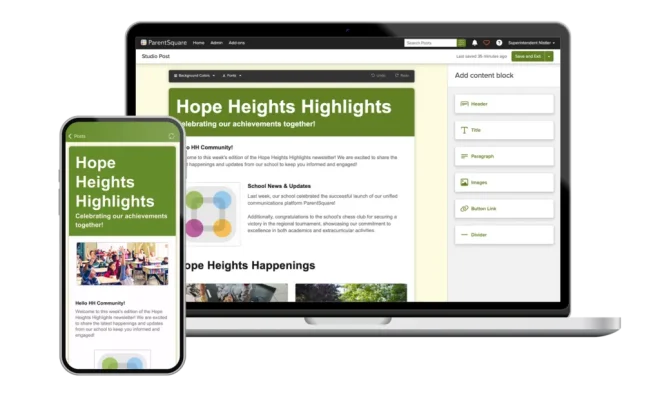
With PowerSchool as our student information system and ParentSquare for our communication platform, we now have an integrated, unified communication stream that brings everyone together on a single platform. This helps us avoid miscommunication and the chance of a time being updated on one platform but not on the other.
Our top priority is to ensure easy access for parents, who need to be able to send and receive messages; read about the district’s “wins”; and stay informed about upcoming events. Having a single school-home communication platform provides a foundation for the singular, unified messaging that our district strives for. It’s uniformed language translation also promotes unity and supports our district’s large ELL population, which has a particularly high need for both Spanish and Arabic translation.
Because we now use a single platform, it auto-translates the exact same way across different communication streams. That way, we always know that parents are going to understand the message, versus having to worry about which one is translated more accurately.
Districts Can’t Afford to Ignore This
In today’s educational environment, any school district that doesn’t have a state-of-the-art notification system is going to face some serious challenges. Being able to get the message out on time really helps us control the narrative. We can broadcast something simple like, “We’re investigating the situation; more details to come later.” That way, no one is wondering why it’s taking us so long to at least share some news about what’s going on.
Having a singular cohesive communication platform saves our district time, eliminates confusion and frees up teachers, administrators and other staff members to focus on more important projects.
For example, if a bus is running 15 minutes late, the message would have previously been handled by four different people before being sent out to the impacted parents. Today, the person who gets the alert from the transportation contractor can just do a quick blast. This is just one more way technology makes things simpler for all of us.
About the author
Dr. Mike McGown is the district technology director for Sunnybrook School District 171 in Lansing, Ill.
This article is available courtesy of our partners at Learning Counsel.